

Info Requests
Stop chasing clients for documents
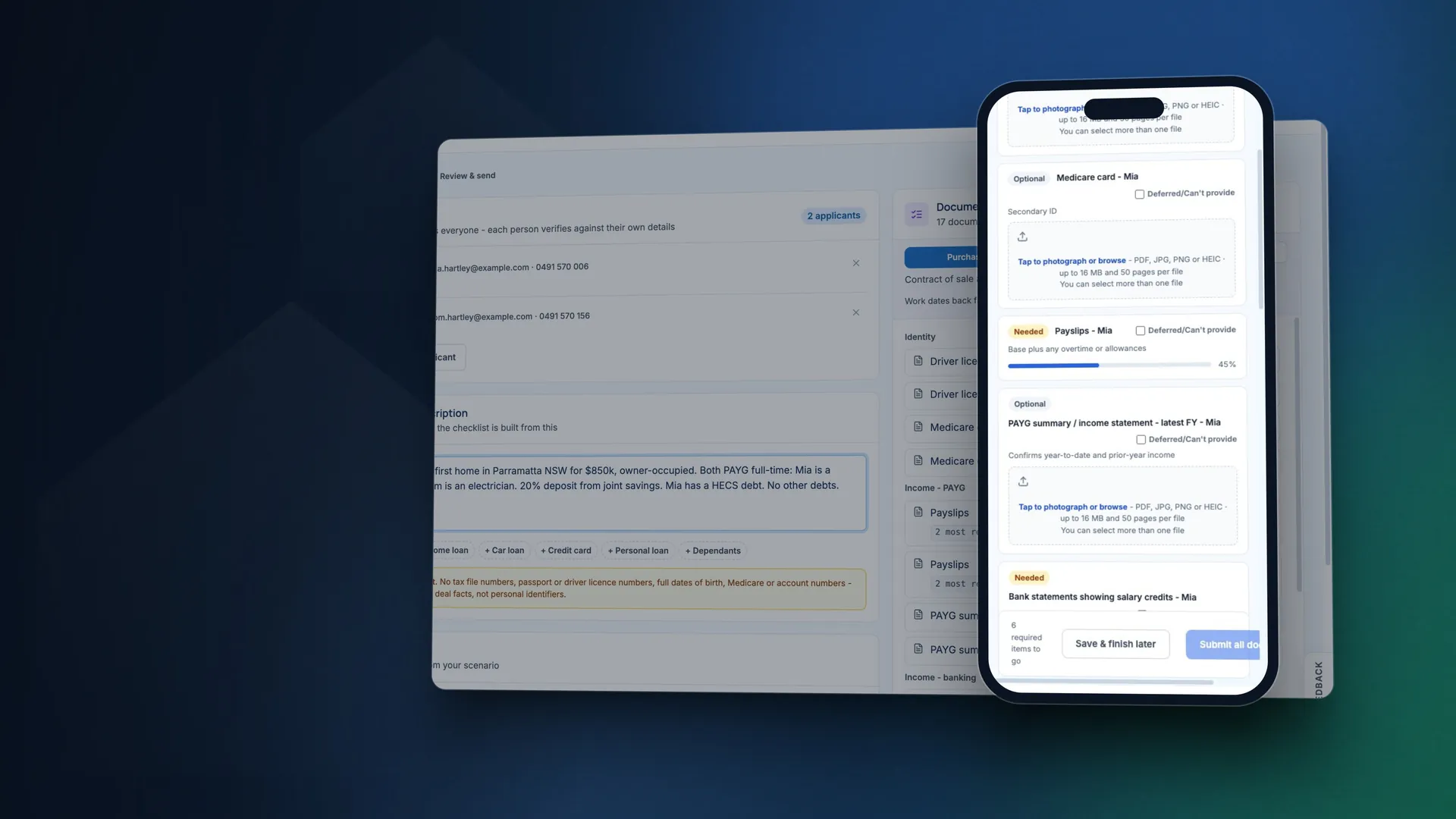
Describe the deal and broQA builds the document list for you to check, then sends each applicant a secure link and reminders. Your client confirms a 6-digit code and uploads from their phone. broQA reads the files, drafts the application and runs a policy review.
14 days free, no credit card. Then $69 + GST a month per user, with every tool included.
Real broQA screens with made-up clients.
How a request runs
- 1
Describe the deal and check the list
Type the scenario in your own words and pick the loan purpose. Leave client names out of the scenario itself. broQA builds the list and tells you why each item is on it. Edit anything, or start from a template.
- 2
Send the link from your own mailbox
Each applicant gets their own link and list, by email and text. Reminders go out on days 2, 5 and 9 unless you change them, and skip anyone who has just been active.
- 3
Review what comes back
Every file is virus checked before broQA opens it, then checked for signs of editing where the file type allows it. When your client finishes, you get the files, what broQA read from each document and an audit trail of the request.
What your client sees
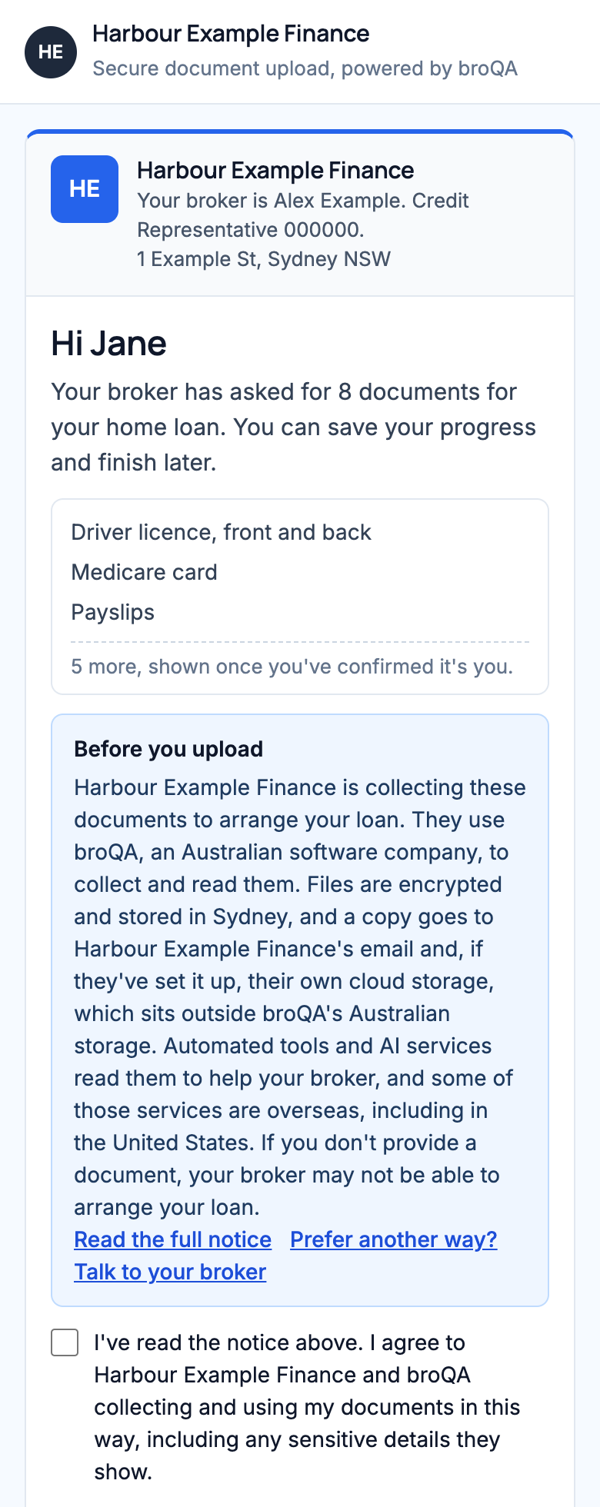
A page with your name and logo. No account, no password and no app.
- A personal link and a 6-digit code by email or text
- Tap to photograph a document, or browse for a file
- Several files per item, and save and finish later
- They can mark an item as deferred and tell you why
- They can add a document you didn't ask for, or leave you a note
- A receipt of what they sent
What you see
Everything about the request in one place: who has opened it, what's in, what's outstanding and what needs a second look.
| Document | From | Status | Checks |
|---|---|---|---|
| Driver licence, front and back | Both | Received | No signs found |
| Payslips | Sam | Received | No signs found |
| Tax return, latest year | Jane | Received | No signs found |
| Financial statements | Jane | Received | Review: signs of editing |
| Bank statements | Both | Pending | - |
| Contract of sale | Both | Can't provide yet | Waiting on the agent |
Made-up details. Flags are prompts for your review, not proof either way.
Auto-reminders
- Day 2Sent
- Day 5Sent to Jane. Skipped for Sam, active in the last 24 hours
- Day 9Next
Audit trail
- Link opened by Jane10:42
- Jane confirmed her code10:43
- Jane uploaded Payslips10:46
- Virus checked, and checked for signs of editing10:46
The details
| Applicants | Up to four, each with their own link, list and progress |
|---|---|
| Loan purposes | Purchase, refinance and pre-approval |
| Lender lists | Lists are built from general lending practice, with items typical of the lenders you pick, where broQA has them. They're indicative, and you review every list |
| Templates | 7 to start with, plus up to 40 of your own |
| Link | Lasts 14 days by default. Choose 1 to 60 days, or revoke it at any time |
| Reminders | Email and text, 9am to 6pm Sydney time. Up to 5, on the days you choose |
| Your mailbox | Send from your own Outlook or Gmail, or from a broQA address with replies coming to you. Gmail shows a Google notice when you connect, while Google completes its review of broQA |
| Your own copies | Optional copies to Google Drive, OneDrive, SharePoint or Dropbox |
| Your team | Owner, broker and assistant roles, sharing requests, contacts and templates |
What happens to the documents
Files stay in your broQA account, stored in Sydney, until you delete them. When your client finishes, the full set is also emailed to you. You can export or erase one client's files from Settings. On a team, erasing stays with brokers. The Security page sets out what's kept, for how long and what AI reads.
Questions about Info Requests
Does my client need an account?
No. They open their link, confirm a code sent to their email or mobile, and upload.
Where do the lender lists come from?
From general lending practice, including items typical of the lenders you pick, where broQA has them. Lists are indicative rather than the lender's own checklist, so you review and edit each one before it goes to your client.
Can my assistant run requests?
Yes. Requests, contacts and templates are shared with your team. Chat, Servicing and Application Preparer stay personal.
How does the 6-digit code work?
It confirms your client can open the email or mobile you sent the link to. It's a secure sign-in step, separate from your own verification of identity.
Where do the files go next?
Straight into Servicing and Application Preparer, with no re-uploading.
What do I need to tell my client?
That you use software providers including broQA, and that automated tools and AI services read their information. There's wording you can adapt on the Security page.
Add broQA to your privacy notice, then send your first request.
Next in the deal: Chat